
Yes, you should definitely ignore texts asking you to pay a KY highway toll. Here’s why

If you’re battling a near-constant stream of phony text messages demanding payments for missed tolls — and threatening “penalties or legal action” if you don’t pay up — at least know you’re not alone.
The texts, masquerading as messages from toll companies such as Louisville-based RiverLink, try to play on your emotions and get you to hand over your personal information, typically by referring you to a link that spoofs the legitimate company.
A type of phishing scam called “smishing” (because it’s facilitated by SMS text messaging), it’s a fast-growing version of one of the internet’s oldest scams, according to Bank of America.
Kentucky residents may have noticed texts claiming to be from RiverLink, E-ZPass and similar toll system companies. The scams aren’t limited to the Bluegrass State, however, as drivers in Florida and North Carolina have also received them.
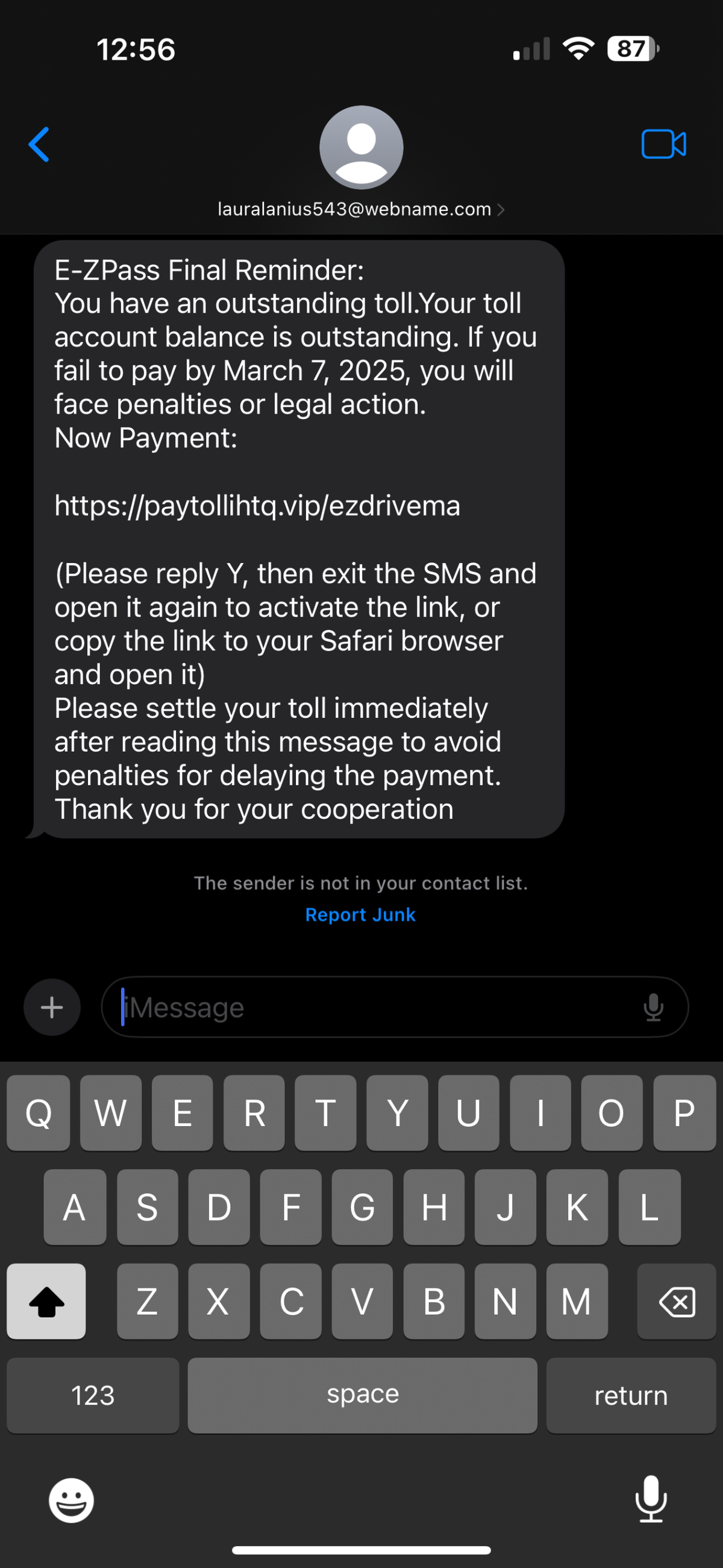
In the case of recent smishing scams involving RiverLink, a spokesperson for the Kentucky Attorney General told the Herald-Leader Wednesday the office has received 22 reports since January from people targeted by the scam.
The number who have received or clicked links in the text is likely greater, however, given scams often go unreported.
In an August 2024 statement from RiverLink about the issue, the company noted, “RiverLink does not share toll charge notifications via text message, only low-balance and auto-replenishment reminders for customers with prepaid accounts.”
The attorney general’s Office of Senior Protection, which works to shield the elderly from fraud, holds education outreach events across Kentucky, including about these recent toll text scams, the spokesperson said.
“Our Office is committed to protecting Kentucky families from scams, abuse and exploitation,” Attorney General Russell Coleman said in an emailed statement.
“Thanks to thorough investigations, zealous collaboration with community partners and ongoing efforts to better educate Kentuckians against these scams, we are sending a clear message to these bad actors: ‘Kentucky is not a place to find your next victim,’” Coleman said in the statement.
To report fraud in Kentucky, you can call the attorney general’s scam hotline at 888-432-9257 or make a complaint online at ag.ky.gov/scams.
So what can you do if you’re being bombarded with bogus text messages? The one thing you should never do is click the link or respond to the message, even if it tries to get you to do so by texting back “STOP.”
Ways to cut down on spam texts
As mentioned, refrain from responding to the texts because that can confirm your number as active to fraudsters and lead to more annoying text messages.
Other steps you can take include:
- Block the sender: While this tactic is limited because the sender can always just spoof another number or email address, if you’re receiving a lot of disruptive texts from one particular sender, block them. To do this on iPhones, open the text, tap on the sender and click info. Next, click “block this caller” and then “block contact.” On Android, open the phone app, tap the three-dot icon in the top right corner and select “settings.” Then tap “block numbers.” From there you can choose or manually enter the number you wish to block.
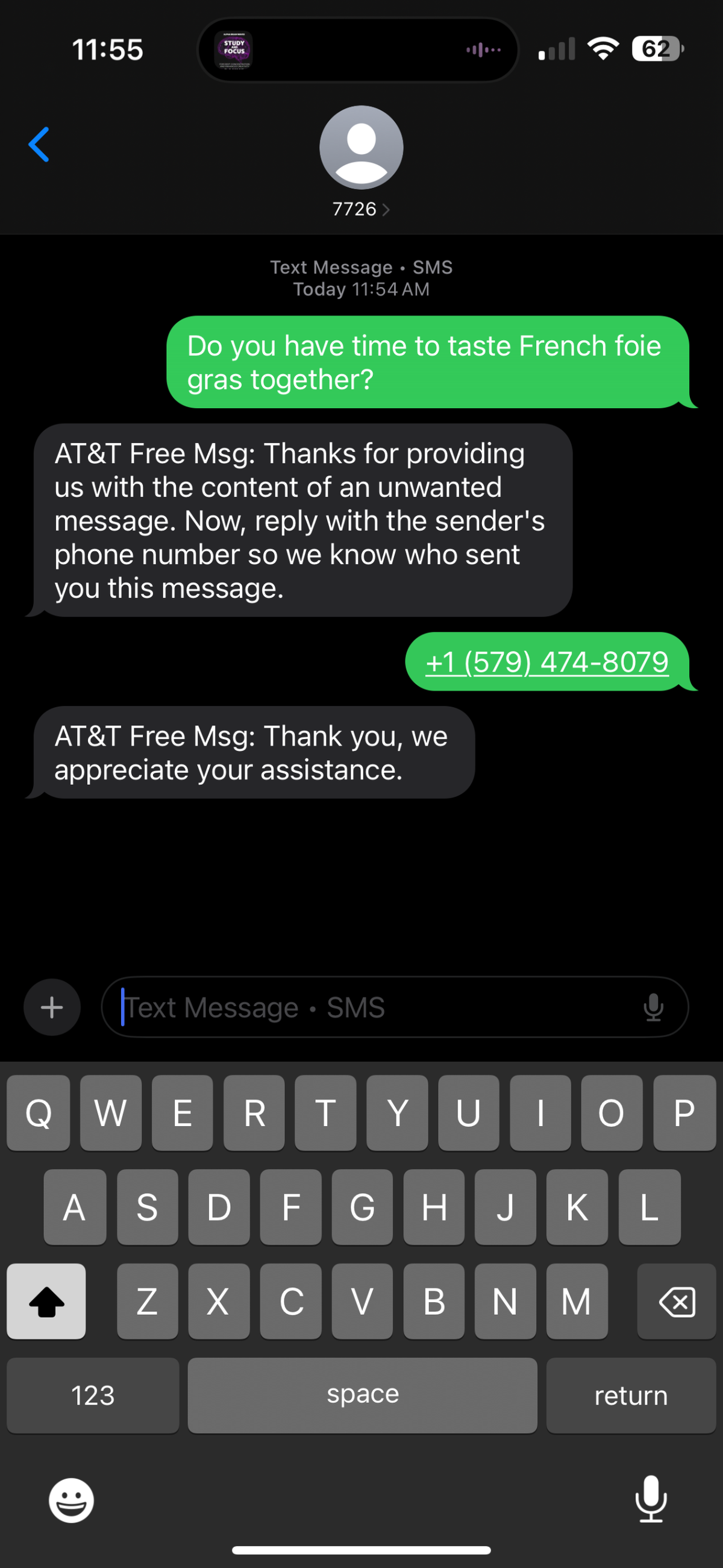
- Report the message: If it’s available, use your phone’s built-in feature to report the message. iPhone users can do this by clicking the “Report Junk” button within a message that’s sent by someone not on your contact list. This will forward the sender’s information and the message to Apple and delete it from your phone. Alternatively, you can forward the message to 7726 (SPAM). On iPhone, users can do this by holding their finger over the message, then clicking “More…” in the drop-down menu. Tap the arrow in the bottom right-hand corner of the screen and type 7726 into the sender field. Hit the send button. You’ll receive a follow-up message asking for the information of the spam text’s sender.
- Turn on filtering: Your phone likely has built-in features for filtering messages from unknown senders, which you can toggle on in settings. On iPhone, pull up your Settings app and tap or search for “messages.” Scroll down to the message filtering heading and turn on “Filter Unknown Senders.” For Android users, go to the messaging app, tap the three dots in the upper right-hand corner and select “Settings,” then go to “Spam Protection.” Scroll down to find “Enable Spam Protection” and toggle it on by swiping the button to the right.
Do you have a question about scams or a consumer issue in Kentucky for our service journalism team? We’d like to hear from you. Fill out our Know Your Kentucky form or email ask@herald-leader.com.